What is domain age?
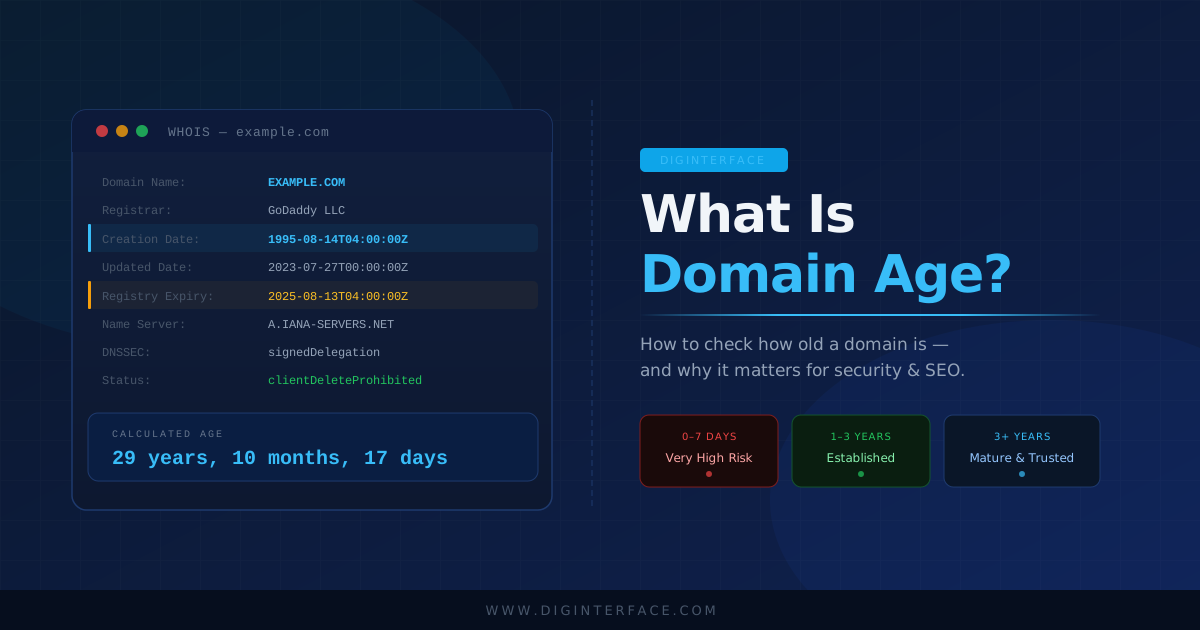
Domain age is simply how long a domain name has been registered — measured from its original creation date to today. If a domain was registered on 1 March 2015, it is just over ten years old. That date is recorded in the public WHOIS database maintained by domain registrars and is queryable by anyone.
Domain age is distinct from how long a website has been active. A domain might have been registered years before a website was built on it, or it may have changed ownership multiple times. The age always refers to the original registration date, not when the current owner took it over.
How to check how old a domain is
The fastest way to check a domain's age is to use a dedicated domain age checker tool. Enter the domain name (without the https:// prefix) and the tool queries the WHOIS registry to retrieve the creation date, expiry date and registrar information, then calculates the age for you.
You can check the age of any domain using the free DigInterface Domain Age Checker — no signup required.
Alternatively, you can query WHOIS manually:
- On Linux/Mac, run
whois example.comin a terminal and look for theCreation Date:field. - On Windows, use a web-based WHOIS tool or the DigInterface WHOIS Lookup.
- ICANN's public WHOIS portal at lookup.icann.org also provides registration data for most gTLDs.
Note that some country-code TLDs (ccTLDs) such as .au, .uk and .de do not expose creation dates in their public WHOIS output. In these cases you may only see the expiry date and registrar.
Why does domain age matter?
Security — spotting newly registered malicious domains
Domain age is one of the most reliable early-warning signals in email security and threat intelligence. Malicious actors register new domains specifically for phishing campaigns, business email compromise (BEC) attacks and malware distribution — then abandon them once they are flagged. The entire lifecycle of a malicious domain can be as short as 24–72 hours.
Research consistently shows that newly registered domains (NRDs) — typically defined as domains less than 30 days old — are disproportionately associated with spam, phishing and malware. Several threat intelligence feeds specifically track NRDs as a high-risk category.
Practical rule of thumb: if you receive an email from a domain that is less than a week old, be very cautious. Legitimate businesses almost never send transactional email from a freshly registered domain.
Email security platforms and domain age
Most enterprise email security platforms — including Mimecast, Proofpoint, Microsoft Defender for Office 365 and others — use domain age as an input to their threat scoring models. A domain registered in the last 30 days sending an invoice or a password reset email is a significant red flag. Some platforms allow administrators to configure explicit policies around NRDs, such as quarantining or rejecting email from domains under a certain age threshold.
If you work in email security or IT, checking domain age is a standard first step when investigating a suspicious email. Use the Email Header Analyser to extract the sending domain from the headers, then check its age.
SEO — does domain age affect rankings?
Google has stated publicly that domain age itself is not a direct ranking factor. However, older domains tend to rank better for a related reason: they have had more time to accumulate backlinks, build topical authority and establish a trust history with Google's crawlers. A brand new domain will typically spend 6–12 months in a lower-visibility period (sometimes called the "Google sandbox") before it can compete on competitive keywords.
What this means practically: if you are evaluating a domain to purchase, an aged domain with a clean history is worth more than a freshly registered one. But buying an old domain that was previously penalised for spam or black-hat SEO can be worse than starting fresh.
What is the difference between domain age and domain expiry?
These are two separate data points in the WHOIS record:
- Creation date (domain age): When the domain was first registered. This is fixed and does not change when the domain is renewed or transferred.
- Expiry date: When the current registration period ends. Domain owners must renew before this date or the domain becomes available for anyone to register.
A domain with an imminent expiry date can also be a security signal — attackers sometimes let domains lapse and re-register them to exploit legacy trust (email filters, bookmark links, etc.) associated with the old domain.
Why would a domain show no creation date?
There are a few common reasons a WHOIS lookup may not return a creation date:
- ccTLD registry policy: Country-code registries like Nominet (.uk), auDA (.au) and DENIC (.de) do not always include creation dates in their public WHOIS output. The data exists internally but is not publicly exposed.
- WHOIS privacy protection: Some registrars allow domain owners to mask their WHOIS data. While the creation date is usually still visible, some privacy services suppress it.
- Thin registry records: Some older registrations in certain TLDs have incomplete WHOIS records due to historical data gaps.
How old is a domain — quick reference
| Age | What it suggests |
|---|---|
| 0–7 days | Very high risk — treat with extreme caution in security contexts |
| 8–30 days | High risk — still in the NRD threat window for most platforms |
| 1–6 months | Moderate — building history, unlikely to have strong backlink profile |
| 6–12 months | Emerging — starting to build authority and trust signals |
| 1–3 years | Established — legitimate business operational history likely |
| 3+ years | Mature — generally higher trust in both security and SEO contexts |
Check any domain's age now
Use the free DigInterface Domain Age Checker to instantly find the registration date, expiry date, registrar and calculated age for any domain. No account required.
For a deeper look at a domain's DNS configuration, propagation status or email authentication setup, explore the full suite of tools at DigInterface.