The Email Deliverability Tester already checks whether your test email arrives, passes authentication, and renders correctly. Now it also tells you what email security stack you’re running — automatically.
What’s new
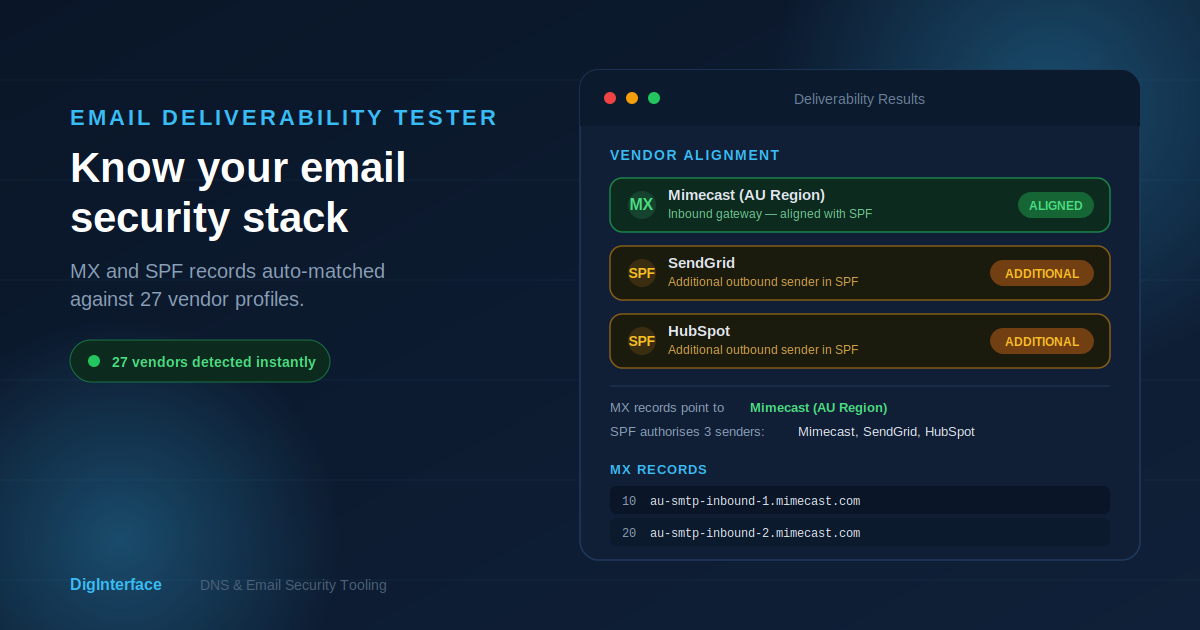
When you run a deliverability test, the tool checks the target domain’s MX and SPF records against a library of known vendor fingerprints. If it finds a match, you’ll see a colour-coded pill banner at the top of your results:
- Green — your outbound sending vendor (SPF) aligns with your inbound gateway (MX). Everything’s consistent.
- Amber — additional senders detected in SPF that don’t match the MX vendor. Not necessarily a problem, but worth knowing about.
If the tool detects multiple vendors (e.g. Mimecast on MX with SendGrid and HubSpot in SPF), each one gets its own pill so you can see the full picture at a glance.
Supported vendors
Detection covers 27 profiles out of the box, including Mimecast (all regions), Microsoft 365, Google Workspace, Proofpoint, Barracuda, Cisco Secure Email, Sophos, Trend Micro, SendGrid, Mailgun, Amazon SES, Postmark, Mailchimp, HubSpot, Zendesk, and Salesforce Marketing Cloud.
Why it matters
Understanding your email security stack in the context of a deliverability test saves you from switching between tools. If a test fails authentication, knowing which vendor handles your MX and which services are authorised in SPF helps you troubleshoot faster.