The short version
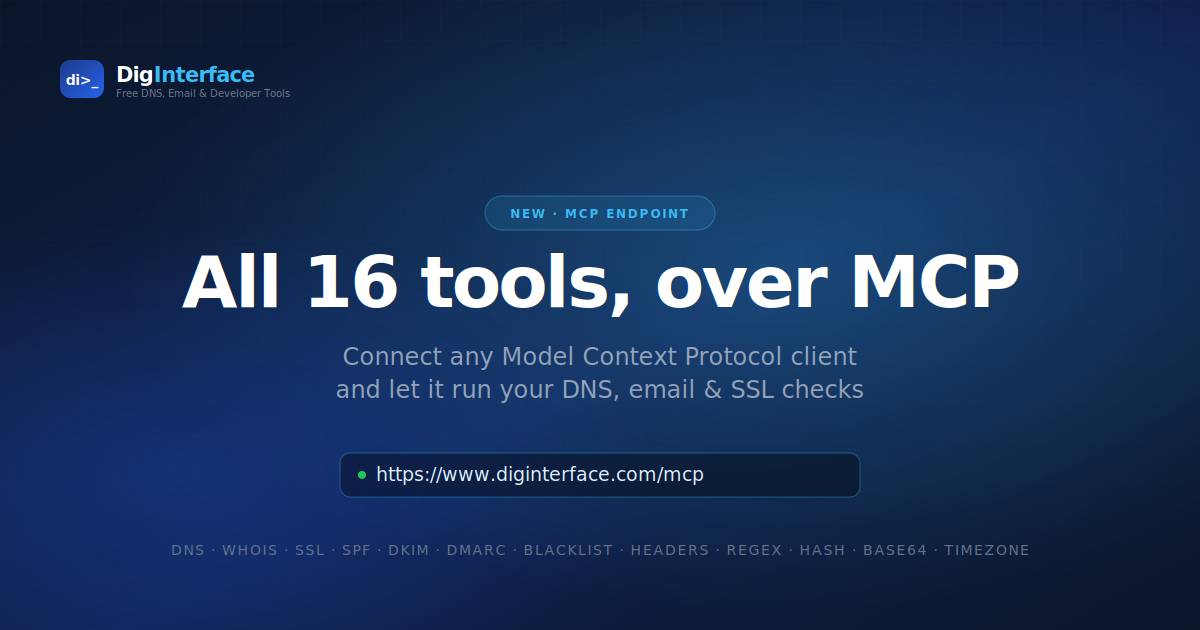
All 16 DigInterface analytical tools are now available as a Model Context Protocol endpoint at:
https://www.diginterface.com/mcp
Connect it as a Custom Connector in Claude (or any other MCP client) and the assistant can run DNS lookups, WHOIS queries, SSL inspections, SPF expansions, DMARC checks, blacklist scans, and email header analysis directly. Same tools, same shapes as the REST API — just now driveable by conversation.
No signup is required for anonymous use at the shared nginx rate limit. Existing DigInterface API keys work as bearer tokens for higher quotas and per-scope access.
What is MCP, and why should I care?
The Model Context Protocol is an open standard for connecting large language models to real tools and data sources. Instead of the model guessing about DNS records from its training data (which may be years out of date), it can call a real DNS lookup tool and use the actual live answer.
For DigInterface’s audience — email deliverability engineers, sysadmins, and IT professionals — this is a bigger shift than it sounds. Imagine asking:
Why is mail from partner.example.com landing in spam? Check their SPF, DKIM, DMARC and any blacklist listings, then tell me what to fix.
With MCP connected, Claude will actually run those checks, one by one, against live DNS — and give you a real answer with real data. Not a plausible-sounding guess. That difference matters when you’re troubleshooting.
The 16 tools
Organised by MCP scope (which matches the REST API’s /api/v2/* scopes):
DNS scope
dns_lookup— A, AAAA, MX, NS, CNAME, TXT, SOA, PTR, SRV, CAA, plus special-case SPF/DKIM/DMARC lookups
Domain scope
whois_lookup— full WHOIS/RDAP lookup for domains or IPsdomain_age— registration age and expiry timelinetech_partner_lookup— identifies SaaS vendors from a domain’s TXT records (Microsoft 365, Google Workspace, Mimecast, Cloudflare, and dozens more)ssl_check— TLS handshake and certificate inspection (subject, issuer, expiry, SANs, chain)blacklist_check— checks a domain or IP against 20 well-known DNSBLs (Spamhaus, Barracuda, SORBS, URIBL, and others)
Email scope
spf_expand— recursively expands an SPF record, resolves everyinclude:, and lists all authorised IP rangesdmarc_analyze— fetches and parses DMARC policy, flags misconfigurationheader_analysis— parses raw email headers, extracts SPF/DKIM/DMARC/ARC verdicts, builds a hop-by-hop relay chain with per-hop delays
Utils scope
cidr_info— subnet calculator (network, broadcast, host count, reverse zone)hash_text— MD5, SHA-1, SHA-256, SHA-384, SHA-512 in one callbase64_encodeandbase64_decode— standard or URL-safe alphabettimestamp_convert— Unix epoch to ISO 8601 with auto-detection of seconds, milliseconds, microseconds and nanosecondstimezone_convert— IANA timezone conversionregex_test— PCRE-compatible regex with named groups, replacement, and a 2-second ReDoS-safe hard timeout
How to connect it in Claude
In Claude, go to Settings → Connectors → Add Custom Connector and enter:
- Name:
DigInterface - URL:
https://www.diginterface.com/mcp - Auth: Leave blank for anonymous access at the shared rate limit, or paste a DigInterface API key (with
di_prefix) as a bearer token for authenticated per-scope quotas. Once connected, the assistant will have all 16 tools available. You can ask it to run them by name, or just describe what you want and it will pick the right ones.
Authentication and rate limits
There are two access modes:
Anonymous — no auth header. Shared nginx rate limit of 30 requests per minute per IP. Good for casual use and evaluation.
Authenticated — pass a DigInterface API key as Authorization: Bearer di_.... Per-key quotas apply, and tool access is filtered by the key’s scopes (dns, domain, email, utils). You can create a key in the account dashboard.
The MCP endpoint reuses the same key system as the REST API — one key works for both surfaces.
Frequently asked questions
Do I need to sign up to use it?
No. Anonymous access works for the shared rate limit. Sign up only when you want higher quotas or per-scope control.
Which MCP clients does this work with?
Any client that implements the Streamable HTTP transport — Claude web, Claude Desktop, Claude Code, and any third-party client that speaks the protocol. The endpoint speaks JSON-RPC 2.0 over Server-Sent Events, which is the standard.
Are the MCP results the same as the REST API results?
The shapes are equivalent — both surfaces call the same underlying helper modules. MCP responses may include a couple of extra fields tailored to LLM consumption (for example, ssl_check returns the full cert chain by default where the REST endpoint returns a summary).
Can I run this against my own private DNS?
The tools query public DNS resolvers by default (Google, Cloudflare). If you need to point them at a specific resolver, dns_lookup accepts a resolver argument.
Is there a Python or JavaScript SDK?
Not from us — MCP is a standard, so any existing MCP client library works. For Claude specifically, the Custom Connector setup above is the fastest path.
What about the browser extension?
The DigInterface browser extension still exists and is still the right choice when you want to run a check yourself. MCP is for when you want the AI assistant to run checks on your behalf. Different tools for different workflows.
What’s next
A few things on the roadmap:
- More tools as we add features to the site — the shared helper modules mean each new capability picks up an MCP wrapper almost for free.
- Streaming responses for long-running lookups (some blacklist queries take a few seconds).
- A layered IP geolocation tool combining RDAP, BGP origin, RFC 8805 Geofeed, and rDNS pattern matching — currently in design. If you build something interesting on top of this, get in touch — we would love to hear about it.
The MCP endpoint reuses DigInterface’s existing REST API infrastructure. All key validation, rate limiting, usage logging, and scope enforcement are shared between the two surfaces via a common Python module. The MCP server itself is a small FastMCP process behind nginx, isolated from the main Flask application so a bug in one surface cannot take down the other.